Tracks your expenses by itself.
Without touching your bank account.
When you pay, your bank already sends you a notification. uRekoin reads it and logs the expense for you. No manual entry, no bank credentials, no cloud.

Free. Android only. No account required.
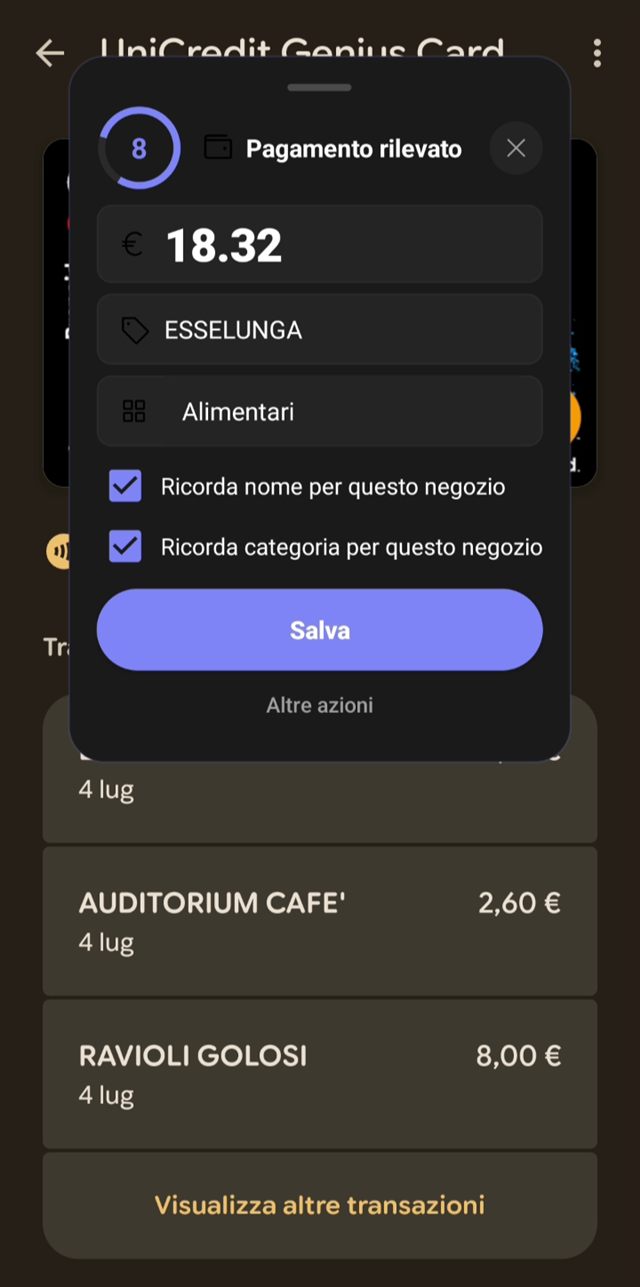
Three steps. The app does the third one.
You pay as usual
Card, debit, Google Pay, your banking app. Nothing changes in your habits.
The notification arrives
Your bank notifies you about the payment, as it already does today. uRekoin picks it up on the phone.
The expense is logged
Amount, date and merchant land in your budget, categorised. You did nothing.
It needs Android's notification access permission. You grant it once and can revoke it any time from system settings. See which banks and apps it works with.
Your bank account stays yours. Literally.
Most budgeting apps ask you to link your bank account. uRekoin does not, by design. Here is what that means in practice:
No bank credentials
uRekoin never asks for your bank login, password or tokens. It does not use open banking. It cannot access your account because it does not even know where it is.
Everything stays on the device
Expenses, budgets, savings envelopes: everything is stored only on your phone. No cloud, no servers of ours holding your data.
No account
We do not ask for your email, name or phone number. There is no sign-up because there is nothing to sign up for.
Notifications never leave the phone
Payment notifications are parsed locally, on the device. Their text is never sent anywhere.
Built for people who live on a salary, not on spreadsheets
Your budget starts on payday
If you get paid on the 27th, your month starts on the 27th. Every day you see how much you can spend today, based on the money you really have left.
Freelancer mode
Variable income, irregular payments, good months and bad ones: there is a mode for people without a fixed salary, with the tax you need to set aside already worked out.
Bills, subscriptions and yearly expenses
Rent, Netflix, car insurance, local taxes. Add them once, get a reminder before they are due, and when your bank charges one the app asks if that is the payment.
It spots bank transfers too
Paying rent by bank transfer? uRekoin asks if it is an expense you already listed, so you do not count it twice.
Savings envelopes with goals
Up to 5 goals plus the Parachute for lean months. Set aside an amount every week automatically, and on holiday the envelope pays your expenses without touching your monthly budget.
Big surprises spread over months
A 600 euro car repair should not wreck your month. You can spread it over several cycles, like a business would.
Expenses from a screenshot
A payment did not come in as a notification? Take a screenshot of your bank’s transaction list and share it with uRekoin: it reads the amounts and you just confirm.
No payment gets lost
Notifications the app is not sure about go to the Notification Center, where you confirm or dismiss them with one tap. You can also block the apps you do not care about.
Meal vouchers and “Paid with”
Paid with meal vouchers or borrowed money? The expense stays in your categories but does not count against your budget.
Charts, forecasts and Excel reports
Where your money goes, category by category, cycle by cycle. At the end of each cycle you can export an Excel report or share a summary image.
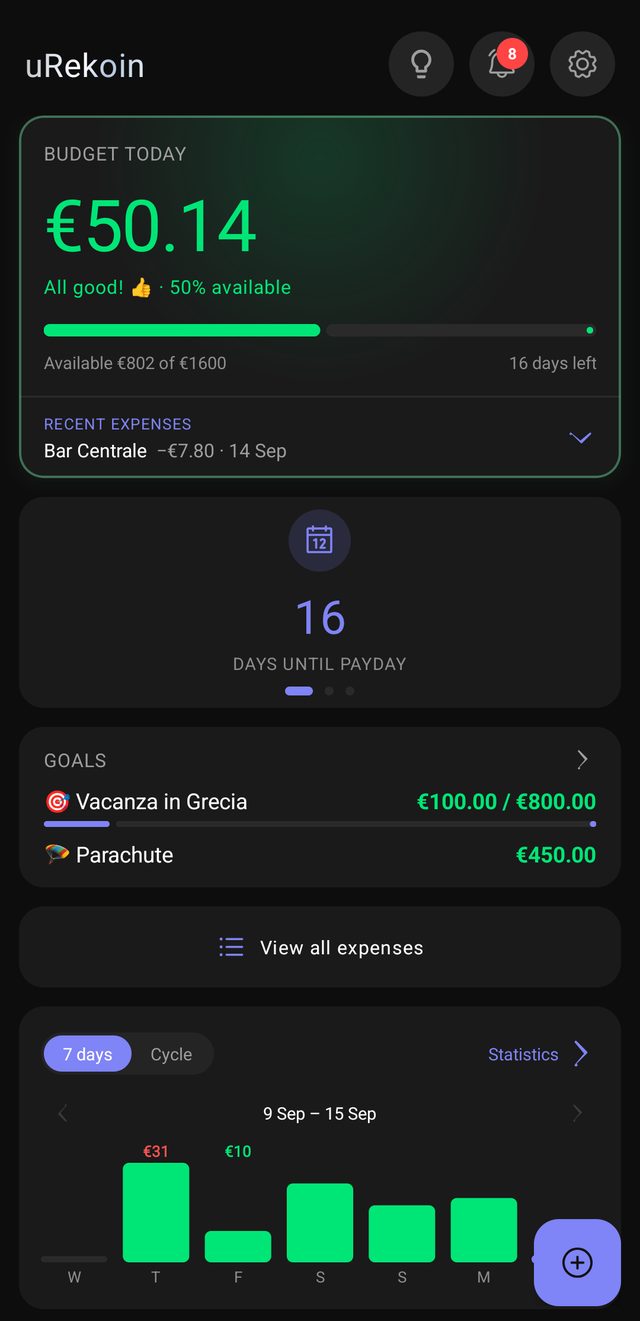
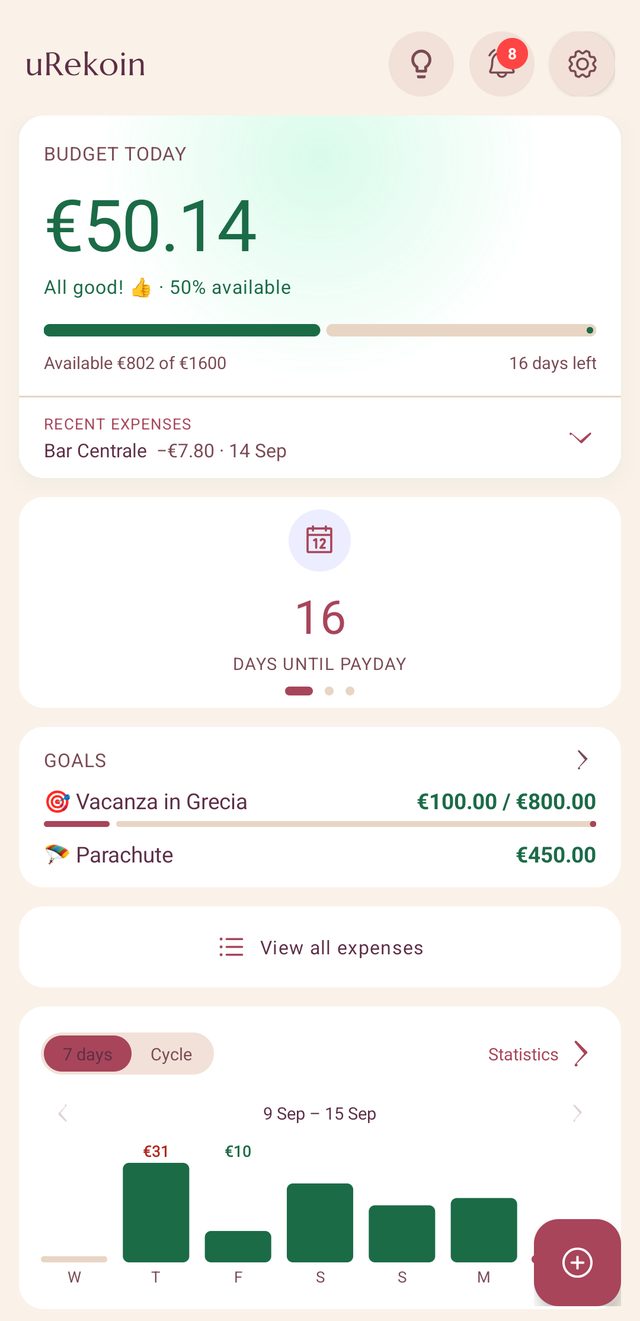
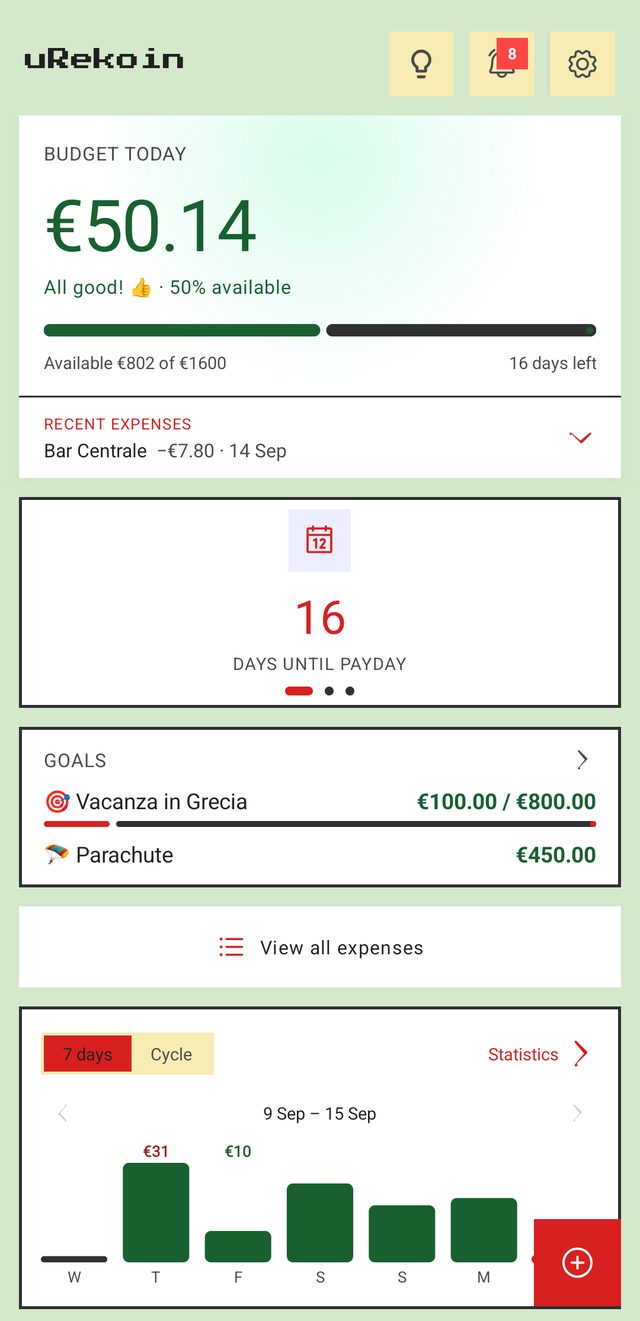
Three themes
Dark, light cream or Game Boy style: pick the one you like on first launch or later in the settings.
Currencies and banks worldwide
About 150 currencies and bank notifications read in 16 languages. The app is available in English, Italian, French, German and Spanish.
Backup and widget (Premium)
Save everything to a file and restore it on your new phone. The widget shows how much you can spend today without opening the app.
Stars to earn
Small missions help you discover the app one feature at a time. Finish a level and you get free days of Premium.
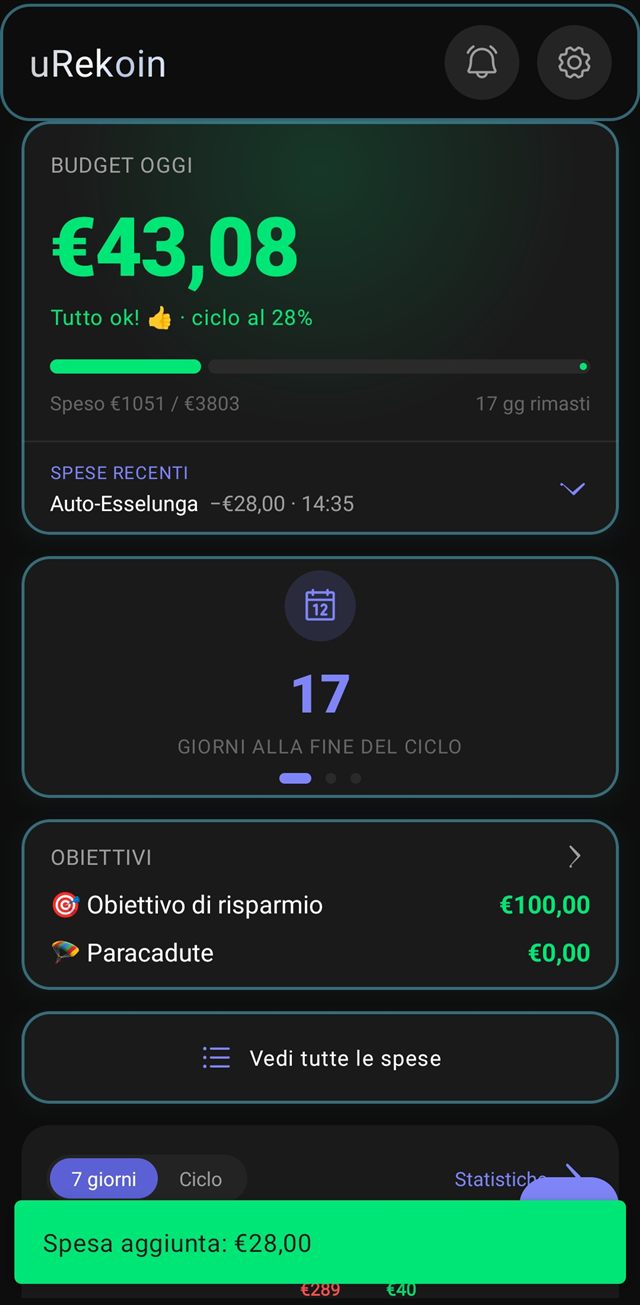
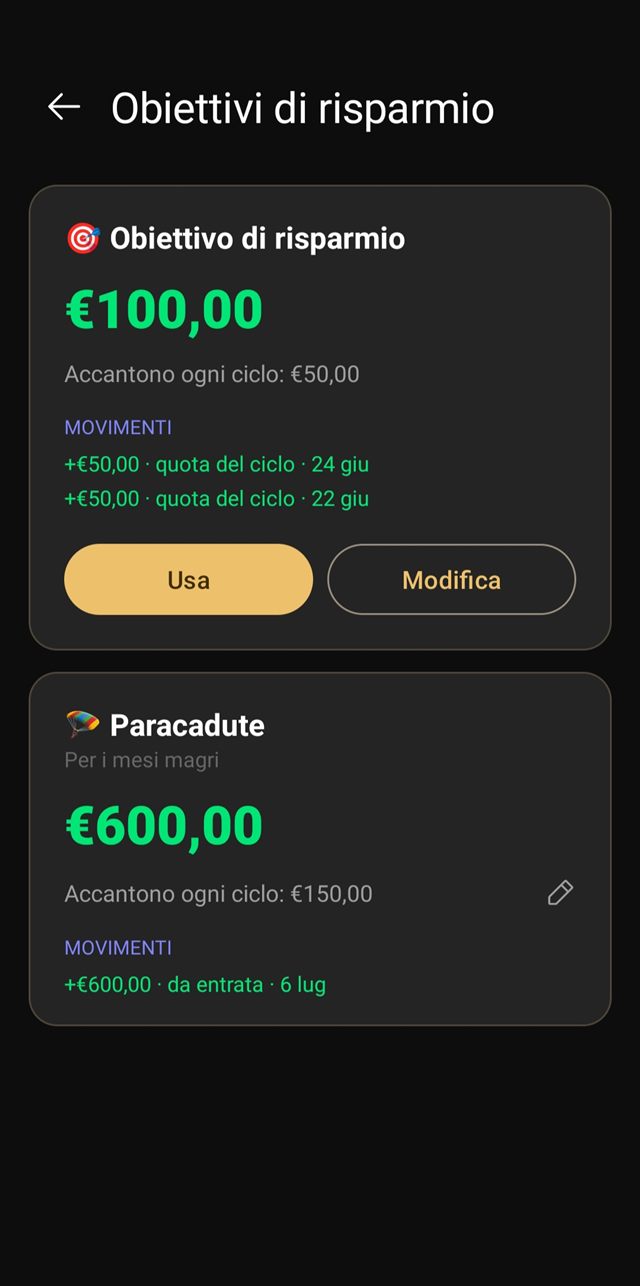
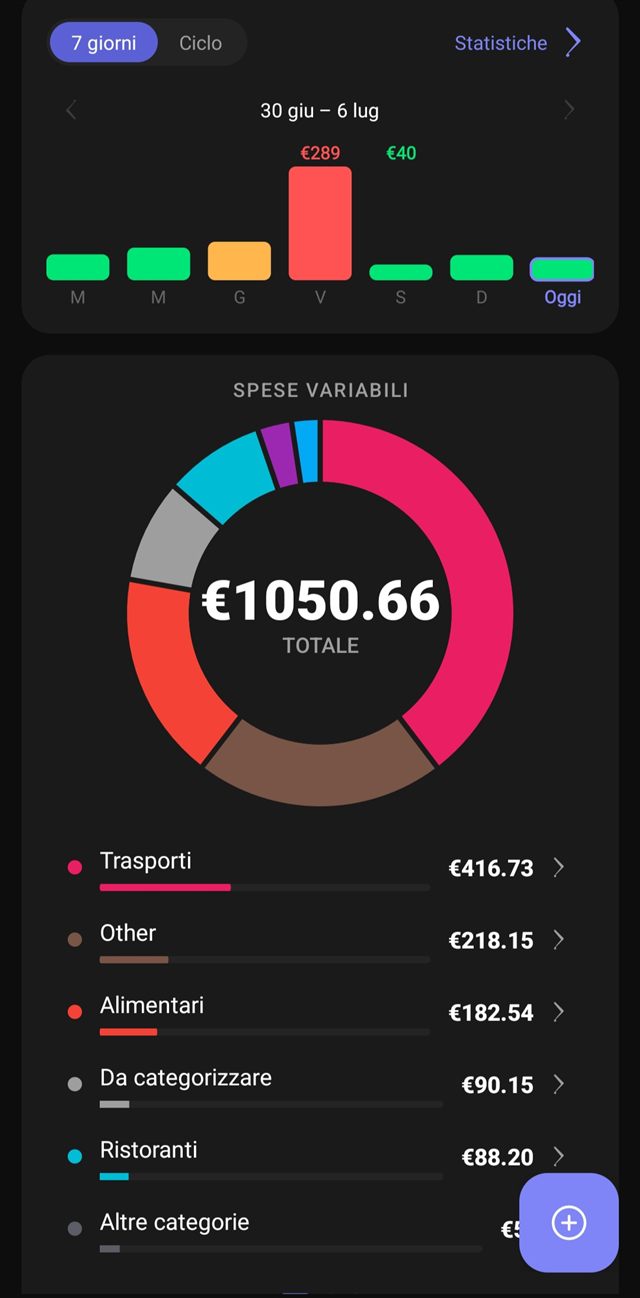
Dark, light or Game Boy style
Obscural, Petal and Pixy: one app, three looks. Your choice.
What everyone asks
What about expenses with no notification? And cash?
You add them manually in a few seconds: amount, category, done. uRekoin automates everything that goes through cards, debit or wallets, which for most people is the vast majority of spending. Quick manual entry covers the rest, or take a screenshot of your bank’s transaction list and uRekoin reads the amounts from it.
Does it work with my bank?
If your bank or wallet sends a notification when you pay, yes. uRekoin recognises the formats of major banks and payment apps, and when it meets a new format you teach it once: you show it what the notification looks like and from then on it reads it by itself. If your bank is not on the list, you add it yourself under “My banks”. No account linking needed, ever.
Does uRekoin read all my notifications?
Android grants notification access globally, but uRekoin only processes notifications from the payment apps you select. Everything else is ignored. And no notification of any kind ever leaves your phone: all processing happens locally, on the device.
Why is it free? What is the catch?
No catch: the free version shows some ads, and an optional Premium (from €2.49 a month, with a 7-day free trial) removes them and adds a few extras. Many Premium features can also be unlocked by watching a video. That is the whole business model. Your data is not sold to anyone, and it cannot be: it never leaves your device.
Do I need an account?
No. No sign-up, no email, no password. Install the app and start using it.
Is there an iPhone version?
Not for now, uRekoin is Android only. iOS does not let apps read other apps’ notifications, so the automatic tracking mechanism cannot be replicated there.
Try it on the next coffee you pay by card
Install the app, grant notification access, pay for something. The expense shows up on its own. That is usually the moment people get it.